
Service History Check: Find and Verify Your Car's Service History Records
Check a vehicle's service history to verify its maintenance and identify any missing or inconsistent service records.
CarVeto's service history check helps confirm whether a vehicle’s maintenance records exist, where they came from, and whether they are genuine.
Service history records come from service books, garage or dealership invoices, manufacturer digital service records, and documents retained by previous owners.
Verify the service history in the report by comparing service dates, recorded mileage, workshop details, and major service entries with MOT (Ministry of Transport) mileage and other supporting records.
These checks help buyers assess a used vehicle's condition, confirm scheduled servicing was completed, and make a more informed purchasing decision.
This page explains what service history shows, how to check car service history online, and how to confirm whether it's genuine.
6.4 million+ Checks Completed
CarVeto has completed 6.4 million+ vehicle checks, helping buyers assess a vehicle's history and identify potential risks before making a purchase.
Instant Online Report
CarVeto provides an instant online vehicle report, giving you immediate access to essential vehicle history and specification data.
50+ Points Independent Vehicle Report
Our independent vehicle report covers 50+ vehicle history data points, providing a comprehensive overview of a vehicle's history in a single report.
Trusted & Reliable Data Sources
CarVeto sources vehicle information from trusted and reliable data providers to deliver accurate and up-to-date vehicle history reports.
Transparent Pricing
CarVeto provides clear, upfront pricing with no hidden fees, so vehicle owners know exactly what they are paying before purchasing a vehicle report.
4.8-Star Customer Rating
CarVeto is rated 4.8 out of 5 on Google Reviews, making it a trusted choice for UK car buyers.
What is a Car's Service History?
A car's service history is a maintenance record that documents the servicing, repairs, inspections, and replacement of key components throughout the vehicle's life.
This maintenance record shows the work completed, when it happened, and who carried it out.
A service history record includes the service dates, mileage, garage or dealer details, the type of service performed, additional maintenance items, and the status of completed recalls.
These vehicle service records help you assess whether the car received regular servicing, missed important service intervals, or developed maintenance patterns that suggest proper care or neglect.
Older vehicles often have a physical service book, while many vehicles registered from around 2012 onwards have a digital service history stored in the manufacturer's database.
Maintaining accurate service records helps owners verify the vehicle's condition and plan future servicing and repairs.
It also helps sellers provide evidence that the vehicle has been well maintained, which can increase buyer confidence and support its market value.
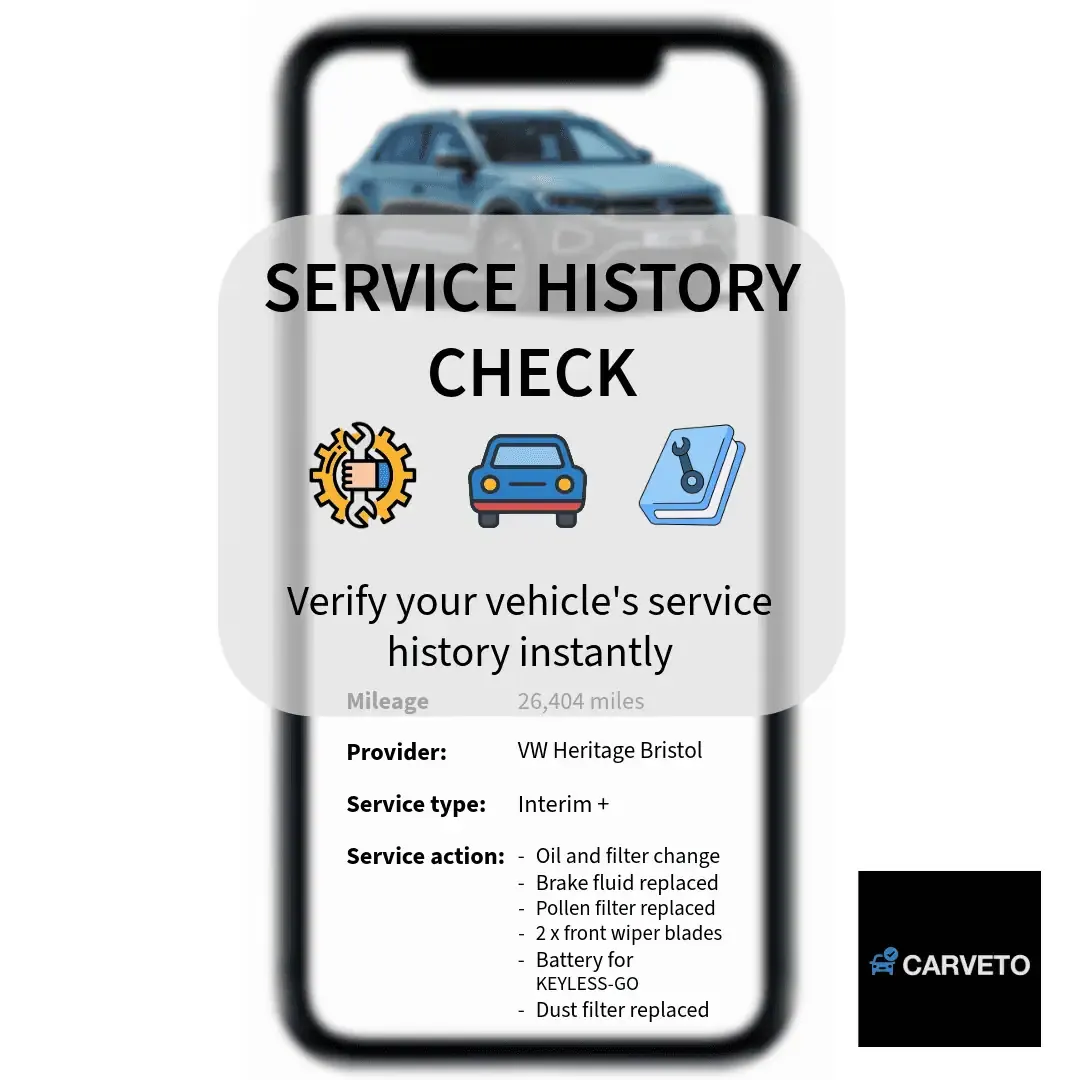
What Does Our Service History Check Report Include?
Our service history check report includes service dates, recorded mileage, workshops or dealer information, the type of service performed, additional maintenance items, and completed recalls.
CarVeto's comprehensive car history check also allows you to cross-check MOT and mileage records, outstanding finance, insurance write-off status, and stolen vehicle records alongside the service history information.
Vehicle information presented in our reports is validated using trusted data sources, such as OEM (Original Equipment Manufacturer), BVRLA (British Vehicle Rental and Leasing Association), RMI (Retail Motor Industry) systems.
The service history check report includes details given below.
- Service Dates: CarVeto's service history check report shows the dates when each service was completed. This helps you verify whether the vehicle was serviced at the recommended intervals.
- Recorded Mileages: Our car service history check report provides the mileage recorded at each service visit. This allows you to compare service mileages with MOT records and identify inconsistencies.
- Workshop or Dealer Information: CarVeto's service history check report identifies the garage, dealership or authorised workshop that carried out the vehicle service. This helps you verify who serviced the vehicle throughout its maintenance history.
- Type of Service Performed: Our vehicle service history check report explains the type of servicing completed, such as an interim, full or major service, together with the routine maintenance performed during each visit. This helps you understand the level of maintenance the vehicle received.
- Additional Maintenance Items: CarVeto's service history check report lists additional vehicle maintenance and repair work, such as brake replacements, battery changes and timing belt replacement. This helps you confirm whether major maintenance has already been completed.
- Completed Recall Status: Our online service history check report confirms manufacturer safety recalls for a vehicle have been completed. This helps you identify whether outstanding recall work may still need attention.
Important Expectations
Our service history check report retrieves and verifies service records from the relevant vehicle manufacturer's digital database and other trusted data sources.
The level of detail available varies by manufacturer, with some providing comprehensive service histories and others only limited entries.
Vehicle maintenance completed by independent garages without access to the manufacturer's digital service system may not appear in the report, resulting in a partial or incomplete service history.
CarVeto cannot add, edit, or modify the records held within official manufacturer systems.
Our service history reports have official manufacturer records, which makes them a reliable choice for people who search for ‘check my car service history’, ‘get car service history ', and ‘check vehicle service history online '.
You can contact our support team to get further information about the records available for a specific vehicle.
What Do Our Service History Check Reviews Say?
CarVeto's service history checks are rated 4.8 on Google and Trustpilot for their accuracy, reliability, and ease of use.
Vehicle buyers in the UK consistently praise how our service history check helps them verify a vehicle's maintenance records and identify missing or inconsistent servicing.
Reviewers also mention that the report is delivered quickly and presents service history information in a clear and easy-to-understand format.
Customers also praise our responsive customer support for providing assistance throughout the service history check process.
Users appreciate how the report simplifies complex maintenance records into clear, actionable information. Many vehicle buyers state that our service history check gave them greater confidence before purchasing a used vehicle.
Very helpful staff
Paul Moss
⭐⭐⭐⭐⭐
Very helpful staff contacting and helping me after normal working hours.
Simple to purchase the reports on my car which gave me all the info I needed all at a very reasonable price.
Great company. Highly recommended.
Thankyou Michelle.
Will always use these. Incredible
JP
⭐⭐⭐⭐⭐
Well what a relief we used this service on a van we were looking at purchasing. Too good to be true usually is. Was in this case.
This report picked up its mileage had been wound back nearly 100k and there was still outstanding finance on it.
Apart from being absolutely gutted about it I’ve been saved from buying a van I thought was perfect and potentially avoided a whole heap of problems.
Why Is Your Vehicle's Service History Important?
A vehicle's service history is important because it shows whether the vehicle has been maintained according to the manufacturer's recommended service schedule.
A complete service history supports long-term vehicle performance and reduces the risk of costly repairs by confirming that servicing was carried out at the correct intervals.
It also helps protect the engine, gearbox, DPF, and timing system by recording essential maintenance.
These details include engine oil and filter changes, timing belt or timing chain replacement, DPF servicing and automatic gearbox fluid changes.
A service history provides greater confidence in a vehicle's condition by confirming dealer-completed recall repairs, supporting manufacturer warranty claims, and identifying mileage irregularities that indicate recording errors or odometer tampering.
Sellers can use documented service records to demonstrate that the vehicle has been properly maintained.
This increases buyer confidence in its mechanical care and helps retain the vehicle's resale value.
Buyers can use the service history to confirm regular servicing, identify missed maintenance, verify consistent mileage records, and minimise the risk of hidden maintenance gaps.
What Are the Different Types of Service History?
A vehicle's service history can be classified as full service history (FSH), partial service history (PSH) or no service history.
A service history includes any documented record of servicing, repairs or maintenance, such as a stamped service book, garage invoices, job sheets, receipts or manufacturer digital service records.
The amount of documented evidence available determines the type of service history and helps buyers assess how well the vehicle has been maintained.
The different types of vehicle service history are provided below.
1. Full Service History (FSH): A full service history (FSH) is a complete maintenance record showing that every scheduled service was completed at the manufacturer's recommended time or mileage intervals. It includes a fully stamped service book, dated invoices or receipts, consistent mileage records and, where applicable, manufacturer digital service records.
2. Partial Service History (PSH): A partial service history (PSH) is an incomplete maintenance record in which some servicing records are available, but others are missing. It has gaps between service dates, missing invoices, inconsistent mileage readings, an incomplete service book, or missing digital service records. A partial service history can become more complete if missing invoices, receipts, or other supporting documents are later obtained.
3. No Service History: No service history is the absence of documented evidence that a vehicle has been serviced. It means there is no service book, invoices, receipts, or digital service records available, making the vehicle's maintenance history difficult to verify.
Where Do Our Service History Records Come From?
Our service history records come from main dealers, independent garages, digital service records, and previous car owners.
These trusted sources provide comprehensive maintenance records from the vehicle's lifespan.
Our service history records help verify when maintenance and servicing were completed, who carried them out, and whether the vehicle has been maintained in line with its age and mileage.
CarVeto’s service history records come from the sources mentioned below.
- Main Dealers: Our vehicle service history records include information from main dealers, such as stamped service books, invoices, and manufacturer digital logs.
- Independent Garages: CarVeto’s vehicle service history records also include servicing information from independent garages, supported by invoices, job sheets, and maintenance records for work completed outside the dealer network.
- Digital Service Records (DSR): Our vehicle service history records include digital service records from manufacturer online systems for many vehicles, particularly those registered from around 2012 onwards.
- Previous Car Owners: CarVeto’s service history records also include documentation provided by previous owners for the vehicle, such as service books, invoices and receipts.
These sources collectively outline the car's maintenance history and help confirm whether the servicing aligns with the car's age and mileage.
How Do I Check and Validate a Car's Service History?
You can check and validate a car's service history by locating all available service records, confirming where they came from and verifying that they match the vehicle's age, mileage and maintenance schedule.
This step-by-step process helps identify the car's true maintenance pattern, highlight any missing or suspicious records, and determine whether the service history is complete and reliable.
You can check and validate a car’s history by following the steps given below.
- Locate the Service Book or Paper Folder: Find the vehicle's stamped service book, invoices, receipts, or job sheets to identify the servicing, repairs, and maintenance carried out throughout its ownership history.
- Confirm Dates, Mileages and Garage Details: Check that the vehicle's service dates and recorded mileages follow a consistent timeline and that the listed garage or dealership details are accurate. CarVeto's Mileage Check helps verify recorded mileage against the vehicle's mileage history, making it easier to identify any inconsistencies.
- Review Every Invoice: Examine each service invoice to confirm the maintenance work completed on the vehicle, including routine servicing, oil and filter changes, brake maintenance, and timing belt or chain replacement where applicable.
- Contact Garages and Dealerships for Confirmation: Contact the garages or dealerships listed in the vehicle's service records to verify completed work using manufacturer databases and independent garage records where available.
- Contact Previous Owners for Missing Details: Request missing invoices, receipts, or maintenance records from previous owners to help complete the vehicle's service history.
- Compare All Records With MOT Mileage: Compare every service entry with the vehicle's MOT mileage history to identify unexplained discrepancies and confirm a consistent maintenance timeline.
- Check Digital Service Records for Newer Cars: Access digital service records for newer vehicles through manufacturer databases using the vehicle's VIN (Vehicle Identification Number) and V5C details where required.
- Look for Gaps or Suspicious Patterns: Review the vehicle's service timeline for missing years, skipped services, unusual mileage jumps or incomplete records that could indicate hidden maintenance gaps.
- Validate Findings With DVLA and MOT Data: Compare the vehicle's service history with DVLA registration details, MOT records and a vehicle history report to confirm that the available maintenance information is consistent across multiple sources.
Buyer note: Ask for an explanation of any gaps in servicing, mismatched invoices or irregular mileage readings if the paperwork for a vehicle feels incomplete or unclear. You can also check online car service history, or run an online car service history lookup, for many modern vehicles using our digital service history tool.
How to Check the Service Book or Paper Folder for Service History?
To check a service book or paper folder properly, review every entry and confirm it follows a clear timeline.
You should verify that the stamps are authentic, the service dates match the maintenance schedule, and the recorded mileage increases consistently throughout the service history.
The car service book and other car service records provide the evidence needed to confirm the vehicle's maintenance history.
The following steps explain how to check the service book or paper folder for service history.
- Stamped Entries: Check that the car service book contains genuine stamped entries from authorised main dealers or independent garages for each completed service. This helps confirm that the recorded servicing was carried out by the workshop listed in the service history.
- Accurate Dates: Confirm that the recorded service dates match the vehicle's age and align with its MOT and servicing history. Consistent dates in a service book help identify whether servicing was completed at the recommended intervals.
- Steady Mileage Progression: Verify that the recorded mileages of the vehicle increase consistently without reversals or unexplained jumps between service entries. This helps identify mileage discrepancies that could indicate inaccurate records or mileage tampering.
- Garage Identifiers: Look for garage names, dealer details, or service codes that identify where each vehicle service was completed. These details make sure that the servicing can be traced back to the workshop that carried out the work.
- Consistent Handwriting: Review the handwriting across entries to ensure it remains consistent where the same garage serviced the vehicle multiple times. Consistent handwriting indicates that the records were completed by the servicing workshop rather than added later.
A clear and continuous paper trail provides the strongest evidence that the vehicle has been serviced and maintained regularly.
How to Check Service History Through Garages and Workshops?
To check service history through garages and workshops, you need to contact previous garages that serviced the vehicle to confirm whether they serviced it and what work was completed.
Most garages use workshop databases to store service records for several years, either digitally or as archived invoices.
Independent workshops also keep invoices, job sheets and service logs that help fill gaps when a vehicle's service book is missing or incomplete.
UK GDPR (General Data Protection Regulation) rules prevent garages and workshops from sharing personal information about previous keepers, but they can usually confirm servicing carried out on the vehicle without disclosing personal data.
Contacting previous garages is particularly useful when a vehicle's paperwork is partial or missing, as their records can help rebuild the vehicle's servicing timeline and verify existing service history.
How Do MOT Mileage Records Help Verify a Vehicle's Service History?
Ministry of Transport (MOT) mileage records help verify a vehicle's service history by recording the vehicle's mileage at every MOT test.
These records create a chronological mileage timeline that can be compared with the service dates and recorded mileages in the service history.
Comparing the MOT mileage timeline with the service history mileage entries helps identify mileage consistency, detect discrepancies, and highlight incomplete or unreliable maintenance records.
The following points explain how MOT mileage records help verify a vehicle's service history.
- Mileage Rises Steadily: A steady increase in mileage across each recorded MOT supports a continuous mileage timeline and strengthens the credibility of the vehicle's service history.
- Service Dates Match: Matching MOT mileage records and service dates show that the vehicle was serviced at appropriate intervals based on its age and recorded mileage.
- Large Mileage Jumps: Significant changes in a vehicle's MOT mileage record can indicate periods of heavy use or ownership changes when supported by the service history.
- Short Annual Mileage: Low annual mileage recorded in MOT history can support a seller's claim that the vehicle has had limited use when the same mileage pattern is also reflected in its service history.
Service history entries that do not match the recorded MOT mileages indicate that the maintenance records are incomplete or unreliable.
You can review the full mileage timeline with CarVeto's MOT Check to verify whether the servicing pattern is consistent with the vehicle's age, mileage and reported usage before purchasing a vehicle.
How Can You Check a Vehicle's Service History Online?
You can check a vehicle's service history online by accessing its digital service history (DSH) or digital service book.
A digital service history stores digital service records linked to the vehicle's VIN in a centralised, encrypted, tamper-proof, and permanent manufacturer's database.
Vehicle manufacturers introduced this digital system from around 2012 onwards to replace paper service books.
Only authorised dealers can upload service entries to the manufacturer's DSH system, making these records more reliable than handwritten service books.
Digital service records also support maintenance verification, warranty validation, buyer confidence, and future resale by providing a trusted servicing history.
You can check a vehicle's digital service history using its VIN if the manufacturer maintains digital service records and makes them available.
Digital service records include service dates, recorded mileages, workshop or dealer information, the type of service performed, and additional maintenance items.
CarVeto supports digital service history lookups for 31 vehicle brands from 2012 onwards, including Audi, BMW, and many other leading manufacturers.
What You Need to Provide
CarVeto’s online service history check requires your full name, contact details, the vehicle's exact 17-character VIN, and registration number to locate the correct digital service records.
Providing optional notes about missing service history or recent servicing also helps our team locate the correct manufacturer records during the manual search.
Which Data Gets Recorded in a Car Service History?
A car service history records routine maintenance, repairs and warranty work, software and electronic updates, and safety and compliance activities completed throughout the vehicle's lifespan.
These records create a documented maintenance timeline that helps verify servicing, repairs, and manufacturer updates while providing evidence of the vehicle's mechanical condition and maintenance history.
Routine Maintenance
The routine maintenance details recorded in a car service history are mentioned below.
- Scheduled Servicing and Oil Changes: A car's service history includes the dates, mileages, and details of scheduled servicing and engine oil changes completed throughout the vehicle's life.
- Fluid Top-Ups and Brake/Clutch Bleeding: Service history records include fluid top-ups or replacements, brake fluid changes, and brake or clutch bleeding carried out during routine maintenance.
- Filter Replacements (Air, Fuel, Oil, Pollen): A vehicle's service history contains details of air, fuel, oil, and pollen filter replacements completed at the recommended service intervals.
- Mileage-Based Inspection Intervals: Car service records include inspections completed at specified mileage intervals in accordance with the manufacturer's maintenance schedule.
Repairs & Warranty Work
The repairs and warranty work details in a vehicle service history are provided below.
- Mechanical Repairs: A vehicle's service history shows completed repairs to key mechanical systems, including the brakes, suspension, engine and drivetrain.
- Electrical System Repairs: Service history records include repairs or replacements for a vehicle’s electrical components such as batteries, sensors, wiring and alternators.
- Replacement of Worn Parts: A car's service history documents the replacement of wear items, including timing belts, bulbs and tyres.
- Warranty Repairs or Part Replacements: Vehicle service records confirm repairs or component replacements completed under the manufacturer's warranty.
Software & Electronics
The software and electronics details recorded in a car service history check are given below.
- ECU Firmware Updates: A vehicle's service history records include ECU (Electronic Control Unit) firmware updates completed to improve system performance, resolve known issues, and maintain correct vehicle operation.
- Software Patches: Car service history records include software updates for infotainment systems, sensors, and vehicle performance features.
- Telematics or Emissions System Recalibrations: Service history records include telematics and emissions system recalibrations completed to maintain accurate operation, connectivity features, and emissions performance.
- Diagnostic Trouble Code (DTC) Scans and Health Reports: A vehicle service history includes diagnostic scans and vehicle health reports used to identify stored faults and monitor the condition of key vehicle systems.
Safety & Compliance
The safety and compliance details in a car service check are provided below.
- Completed Manufacturer Recall Repairs: A vehicle's service history records completed manufacturer recall repairs relating to safety or performance issues identified by the manufacturer.
- Emissions Compliance Checks (Where Applicable): Car service history records confirm that the vehicle met the required emissions standards at the time of servicing.
- Safety Inspections Tied to Specific Service Intervals: Vehicle service records document scheduled safety inspections completed at the manufacturer's recommended service intervals.
- Airbag, ABS and Stability Control System Updates: A complete vehicle service history includes updates, inspections and repairs relating to the airbag, ABS (Anti-lock Braking System) and electronic stability control systems.
Each digital service record strengthens the vehicle's maintenance provenance and helps verify proper care, servicing compliance, software relevance, buyer confidence, and future resale value.
Only completed recall repairs appear in the digital service history (DSH), while unresolved recalls require a separate check through the manufacturer's recall system or an independent recall checking tool.
Independent garages without authorised upload access cannot submit service entries to the manufacturer's system, so servicing completed by these garages may not appear in a DSH.
Vehicles maintained outside the authorised network therefore show gaps in their digital service history despite receiving routine servicing.
How Does Digital Service History Get Recorded?
Digital service history is recorded by authorised repairers who submit completed maintenance details to the manufacturer's central database.
The digital service history system then timestamps each event and links it to the vehicle's VIN, creating a reliable maintenance timeline.
This system provides secure, transparent maintenance tracking, essential for buyers assessing service consistency and recall compliance of a vehicle.
The following steps explain how digital service history is recorded.
- Service Completion: An authorised dealership or repairer completes the vehicle's service, repair or diagnostic work. This completed work is then prepared for digital submission to the manufacturer's service record system.
- Database Submission: The authorised repairer submits the vehicle's maintenance details to the manufacturer's central database. The digital service history system records the completed service or repair as a timestamped digital event.
- VIN Linking: The digital service entry is linked to the vehicle's unique VIN to ensure that each maintenance record is matched to the correct vehicle.
- Data Integrity: The manufacturer's digital system protects confirmed service entries from unauthorised changes, supporting a consistent and reliable maintenance timeline. This recorded information helps buyers assess service consistency and maintenance provenance.
- Buyer Access: Buyers can retrieve a vehicle's digital service history through a manufacturer portal, dealership request or independent vehicle history service. Available records provide evidence of maintenance events recorded in the manufacturer's system.
- Recall Confirmation: Completed manufacturer recalls appear in the digital service history after an authorised repairer confirms the recall work. Open or uncompleted recall actions do not appear as completed service events.
How Do Different Manufacturers' Digital Service History Systems Work?
Digital service history systems work by storing manufacturer service records in their own secure digital platforms.
Each brand's digital service history system has its own name, coverage period, and range of available information.
Most manufacturers introduced these manufacturer record systems from around 2012 onwards to replace paper service books with digital service records.
These service records include service dates, recorded mileages, workshop or dealer information, and details of the maintenance completed.
The available service history information, however, varies between different manufacturers and their digital service history systems.
BMW - Online Service History
The information stored in BMW’s digital service history system is given below.
- Service Dates and Mileages: BMW's online service history stores the date and mileage of each completed service for eligible vehicles from 2013 onwards.
- Workshop Identifiers: BMW stores the authorised dealer or workshop details for each service entry, which allows the servicing location to be verified.
- Basic Service Scopes: BMW's digital service history includes the type or scope of servicing completed during each dealer-uploaded service visit.
Mercedes - Digital Service Booklet (DSB)
The information included in a Mercedes service history check is given below.
- Service Dates: The Mercedes digital service booklet (DSB) includes the date of each completed service for most post-2012 Mercedes models.
- Recorded Mileages: Mercedes' digital service history stores the recorded mileage for every service entry.
- Workshop Data: The DSB system logs dealer entries, including the authorised Mercedes dealer or workshop that carried out each recorded service.
- Basic Service Type: Mercedes' digital service records include the service category or type of maintenance completed during each dealer-uploaded service visit for most post-2012 vehicle models.
Volkswagen Group - Digital Service Schedule
The information stored in Volkswagen’s digital service history system is explained below.
- Service Dates and Mileages: The Volkswagen Group digital service schedule records the date and mileage of each completed service for most Volkswagen, Audi, Škoda and SEAT models from around 2012 onwards.
- Inspection vs. Oil-Service Entries: Volkswagen Group digital service records distinguish between inspection services and oil-service entries, which shows the type of maintenance completed during each service visit.
- Dealer or Workshop IDs: The digital service schedule stores the authorised dealer or workshop identifiers for every recorded service entry, which helps verify where the servicing was carried out.
Audi - Digital Service Record
The information stored in Audi’s digital service history is provided below.
- Dates and Mileages: Audi's digital service record stores the date and mileage of each completed service for most Audi models from 2012 onwards. Audi maintains these records using the shared Volkswagen Group (VAG) digital service platform.
- Workshop Information: Audi's digital service history records include the authorised dealer or workshop, such as name, location, and identification details for every service entry.
- Basic Work Summaries: The Audi digital service record includes a summary of the maintenance completed during each recorded service visit.
Ford - Digital Service Record
The information stored in Ford’s digital service record is provided below.
- Service History Records: Ford's digital service record stores dealer-performed service history records for most Ford models from 2013 onwards.
- Maintenance History: Ford's digital service history includes the maintenance history recorded by authorised Ford dealers, which helps verify the servicing completed throughout the vehicle's life.
The table below compares the digital service record systems used by different manufacturers, the information they store and their typical vehicle coverage.
Manufacturer | Digital Record System | What It Stores | Typical Coverage |
|---|---|---|---|
BMW | Online Service History | Service dates, recorded mileages and workshop entries | Around 2013 onwards |
Mercedes-Benz | Digital Service Booklet | Full service logs and service scopes | Around 2012 onwards |
Volkswagen Group | Digital Service Schedule | Service dates, recorded mileages and service types | Around 2012 onwards |
Ford | Digital Service Records | Dealer-performed service records | Around 2013 onwards |
How Much Does CarVeto's Digital Service History Check Cost?
CarVeto's digital service history check costs £12.99 including a manual VIN search fee, which allows us to check whether digital service records are available from the vehicle manufacturer.
Once the search is complete, we confirm the number of available digital service entries and provide your report.
£12.99 (Only if Records Exist)
Our digital service history check charges £12.99 for digital service records provided by the vehicle manufacturer.
CarVeto provides complete manufacturer-held digital service history rather than selected service entries.
This ensures accurate, complete and transparent records for future resale and manufacturer warranty purposes.
How to Verify If a Vehicle's Service History Is Genuine?
To verify if a vehicle's service history is genuine, check whether the dates, mileages and workshop details follow a logical pattern.
A genuine record will show steady mileage progression, consistent handwriting and entries that align with MOT mileage.
Any irregularities in a vehicle’s service history should be investigated further before you buy.
What are the Key Signs of a Genuine Service History?
The key signs of a genuine service history are listed below.
- Mileage Consistency: A genuine car service history shows steady, uninterrupted mileage increases across service records, invoices and MOT history.
- Workshop Identification: An authentic vehicle service history includes clear workshop identifiers, such as dealer names, garage codes and contact details.
- Handwriting Consistency: A legitimate vehicle service history contains consistent handwriting for entries completed by the same garage.
- Date Alignment: A verified service history of a vehicle contains matching dates across service stamps, invoices and MOT history.
- Interval Accuracy: A complete and genuine service history follows the manufacturer's recommended service intervals based on the vehicle's age, mileage and engine type.
These signs help confirm that a vehicle's service history is authentic and reflects its actual maintenance history.
What are the Warning Signs of a Fake or Unreliable Service History?
The warning signs of a fake or unreliable service history are provided below.
- Identical Stamp Patterns: A vehicle service history with identical stamp patterns, pressure, angle, and ink across multiple years indicates fake or unreliable service records.
- Handwriting Inconsistency: An unreliable car service history shows inconsistent handwriting in service entries completed by the same garage.
- Missing Major Work Invoices: A questionable vehicle service history lacks invoices for major maintenance work, such as timing belt replacement or gearbox servicing.
- Mileage Discrepancy: An unreliable vehicle service history contains mileage readings that do not match MOT records or show unrealistic mileage changes.
- Unverified Handwritten Entries: A suspicious car service history includes handwritten entries without a garage name, dealer details, or identifying information to confirm who completed the servicing.
- Incorrect Service Details: A fake vehicle service history includes incorrect oil grades or service descriptions that do not match the manufacturer's recommended servicing requirements.
- Unexplained Service Gaps: An incomplete or unreliable vehicle service history shows long gaps between recorded services without a clear reason or supporting evidence.
These warning signs in a vehicle’s service history reduce confidence in the service history and should be investigated or discussed with the seller before purchasing the vehicle.
How to Use MOT Mileage to Confirm Service History Authenticity?
You can use MOT mileage to confirm service history authenticity by following the steps mentioned below.
- Mileage Alignment: Compare MOT mileage records with the vehicle's service dates and recorded service mileages to confirm that the maintenance timeline follows a consistent chronological pattern.
- No Backward Readings: Check consecutive MOT readings for unexplained mileage decreases, as backward readings indicate inaccurate or unreliable service records.
- Realistic Usage Pattern: Confirm whether the vehicle's annual MOT mileage reflects realistic usage and matches the mileage pattern shown in its service history.
MOT history is one of the most reliable ways to validate service records. Any contradiction between MOT mileage and service history entries should be investigated before relying on the vehicle's maintenance history.
How Can You Evaluate a Good vs. Bad Service History for a Vehicle?
You can evaluate a good or bad service history for a vehicle by checking its mileage pattern, service intervals, and whether maintenance was carried out according to the manufacturer's recommendations.
A good service history shows regular maintenance, consistent records, and proper care, which supports long-term reliability and reduces the risk of unexpected repairs.
Bad or incomplete service history records increase the likelihood of hidden maintenance issues, higher running costs, and future repair risks.
The table below highlights the key signs that distinguish a consistent, well-documented service history from records that indicate missing maintenance or potential reliability risks.
Evaluation Criteria | Good Signs | Bad Signs |
|---|---|---|
Mileage Pattern | Steady year-on-year mileage increase that matches service and MOT records. | Mileage drops, unrealistic jumps or inconsistencies between service and MOT records. |
Service Intervals | Servicing completed close to the manufacturer's recommended mileage or time intervals.Large gaps between services, overdue maintenance or irregular servicing schedules. | Large gaps between services, overdue maintenance or irregular servicing schedules. |
Documentation | Complete service book with matching stamps, invoices, receipts or digital service records. | Missing invoices, incomplete records, vague entries or undocumented servicing. |
Workshop History | Servicing completed by authorised dealers or reputable independent workshops with traceable records. | Servicing completed by unknown garages with no traceable details or inconsistent workshop information. |
Major Maintenance | Timing belt, brake fluid, automatic gearbox fluid, DPF servicing and other age- or mileage-related maintenance are recorded. | No evidence of major maintenance for age- or mileage-critical components. |
Service Record Quality | Clear service dates, recorded mileages, legible handwriting, consistent workshop stamps and identifiable workshop details. | Inconsistent handwriting, identical stamps, missing mileages, incomplete service details or unidentified workshops. |
Expected Service Intervals
Most vehicles follow predictable maintenance schedules.
Comparing these intervals with the service history helps identify missed maintenance and determine whether servicing was completed on time.
This comparison helps distinguish between a good and a bad service history.
The expected service intervals for different vehicle components are mentioned below.
- Engine Oil and Filter: Engine oil and filter changes for a vehicle are completed every 10,000-20,000 miles or 12 months.
- Air and Cabin Filters: Most vehicles require air and cabin filter replacements every 20,000-30,000 miles to maintain engine performance and cabin air quality.
- Timing Belt: A vehicle's timing belt is typically replaced every 5-7 years or 60,000-100,000 miles, depending on the manufacturer and engine type.
- Brake Fluid: Brake fluid should be replaced every 2 years to maintain a vehicle's braking performance and reduce moisture contamination.
- Automatic Gearbox Fluid: Automatic gearbox fluid is replaced every 40,000-60,000 miles.
- DPF-Compatible Engine Oil: Diesel vehicles require DPF-compatible engine oil to protect the diesel particulate filter and help prevent blockage.
Missing or overdue maintenance for these components indicates that the vehicle requires catch-up servicing.
Can I Buy a Car With Little or No Service History?
Yes, you can buy a car with little or no service history, but the missing records increase the uncertainty about how the vehicle has been maintained.
Missing service history is acceptable if servicing was completed but records were lost, the vehicle has gaps in its digital service history, or previous owners did not retain maintenance documentation.
MOT history, repair invoices and independent inspection reports provide additional evidence to help assess the vehicle's condition when service records are incomplete.
Missing service history is less acceptable when it prevents you from confirming routine maintenance, major repairs or age-related servicing.
A lack of vehicle servicing evidence increases the risk of buying a poorly maintained vehicle. CarVeto Car History Check helps you assess this risk by providing additional vehicle history information before you buy a vehicle.
The risks of buying a car with little or no service history are given below.
- Mileage or Advisory Neglect: A lack of service history for a vehicle makes it difficult to confirm whether scheduled maintenance and manufacturer advisories were completed at the correct mileage intervals. This increases the risk of neglected repairs, reduced reliability, and unexpected maintenance costs.
- Hidden Engine Problems: Buying a car with little or no service history makes it difficult to confirm regular oil changes. This increases the risk of hidden engine wear and expensive repairs.
- Gearbox Faults: Missing service records for a vehicle make it difficult to verify gearbox fluid changes. This increases the risk of transmission wear and costly gearbox repairs.
- Premature Tyre Wear: A lack of service history for a vehicle makes it harder to determine whether uneven tyre wear results from poor alignment, suspension faults or neglected maintenance.
- Worn Brakes: Buying a car without documented maintenance makes it difficult to confirm whether the vehicle's brake pads, discs and brake fluid were replaced at the recommended intervals.
- Undisclosed Accident History: Little or no service history for a vehicle makes it harder to identify previous accident repairs or structural damage that are not supported by workshop records.
- Unresolved Warning Lights: Missing service history documentation for a vehicle makes it difficult to confirm whether warning lights and diagnostic faults were properly investigated and repaired before the vehicle was offered for sale.
What to Check Before Buying a Used Car With No Service History?
You should check the following before buying a used car with no service history.
- MOT History: Review the vehicle's MOT mileage records and advisory history for signs of neglected maintenance, recurring faults or inconsistent mileage.
- Engine Condition: Check the vehicle's engine for unusual noise, oil leaks, excessive exhaust smoke and rough idling that indicates poor maintenance.
- Gearbox Performance: Make sure the vehicle's gearbox changes smoothly without delays, slipping or unusual noises during driving.
- Tyres: Inspect the vehicle's tyre age, tread wear and wear patterns, as uneven wear indicates suspension, alignment or maintenance issues.
- Brakes: Check the vehicle's brake discs, brake pads and braking performance for signs of excessive wear.
- Bodywork: Examine the vehicle's panel gaps, paintwork and body panels for evidence of previous accident repairs or poor-quality bodywork.
- Dashboard Warning Lights: Confirm the vehicle's warning lights illuminate during start-up and switch off correctly after the engine starts.
A clean MOT history, good mechanical condition and a knowledgeable seller help offset the risks of buying a vehicle with little or no service history.
How to Perform a Simple Risk Analysis Based on a Vehicle's Condition Using a Service History Check?
To perform a simple risk analysis based on a vehicle's condition using a service history check, compare the quality of the available service records with the vehicle's mechanical condition, MOT history and maintenance evidence.
This assessment helps estimate the likelihood of hidden faults, future repair costs and whether the vehicle represents a low-, medium- or high-risk purchase.
The table below highlights how service record quality and vehicle condition affect risk levels and the decision to buy a used vehicle.
Record Of Quality | Condition of Vehicle | Risk Level | Recommendation |
|---|---|---|---|
No Service History | Good mechanical condition with a clean MOT history and consistent mileage. | Medium | Buy only after a thorough inspection and negotiate a reduced purchase price. |
No Service History | Signs of neglected maintenance, poor mechanical condition or repeated MOT advisories. | High | Avoid the vehicle unless independent evidence confirms its condition |
Partial Service History | Good mechanical condition with consistent mileage and supporting maintenance records. | Low-Medium | Proceed with caution after verifying the available service records. |
Partial Service History | Gaps around major services, age-related maintenance, or inconsistent mileage records | Medium-High | Negotiate a lower price or consider an alternative vehicle if the missing records cannot be verified |
What Should Be on Your Service History Check Negotiation Checklist Before Making an Offer?
Your service history check negotiation checklist should confirm whether the vehicle's maintenance history, supporting documents, and asking price reflect its overall condition.
Reviewing these checks before making an offer helps identify hidden maintenance risks, estimate future repair costs, and negotiate a fair purchase price.
Your vehicle service history check negotiation checklist should include the points mentioned below.
- Question Missing Records: Ask why the service records of the vehicle are missing and ensure the seller provides a clear, consistent explanation supported by the vehicle's history. This helps you determine whether the records were lost or whether important maintenance history remains unverified.
- Request Recent Work Evidence: Request invoices, receipts or other evidence for recent maintenance of the vehicle, including oil changes, tyres, brakes and major repairs. This evidence helps confirm completed work and reduces the risk of paying for maintenance that still needs to be completed.
- Verify Mileage via MOT: Compare the vehicle's service history with its MOT mileage records to confirm consistent mileage progression and identify unusual usage patterns. This comparison helps identify mileage discrepancies that could affect the vehicle's value and reliability assessment.
- Adjust Offer for Catch-Up Servicing: Reduce your offer to reflect the vehicle's overdue maintenance costs, including engine oil, filters, brake fluid, timing belts and other missed servicing. This adjusted price should account for the maintenance costs you may need to pay after purchase.
- Budget for Major Maintenance: Budget for the vehicle's immediate maintenance costs, particularly timing belt replacement, automatic gearbox servicing and other age-related repairs. Planning for these costs helps prevent unexpected repair bills after buying the vehicle.
- Walk Away When Justified: Walk away if the seller cannot explain the vehicle's missing service records, provide supporting evidence, or demonstrate that the vehicle has been properly maintained. Serious gaps, poor condition, and an unhelpful seller can indicate a level of risk that a lower purchase price cannot justify.
Missing service history is not always a deal-breaker, but it should always be reflected in the purchase price.
How Does Missing Service History Affect Car Pricing?
Missing service history reduces buyer confidence, increases the risk of future repair costs, and lowers a vehicle's resale value, all of which can negatively affect its pricing.
The purchase price should therefore reflect the cost of catch-up maintenance, potential repair risks, and reduced resale appeal.
The key pricing considerations about a car with missing service history are provided below.
- Catch-Up Servicing Deduction: A vehicle with missing service history requires overdue maintenance, including oil and filter changes, brake fluid, timing belts, and other missed servicing. These potential costs should reduce the offer price because the buyer needs to fund the catch-up maintenance after purchase.
- Major Work Adjustment: The absence of records for major maintenance, such as timing belt replacement, automatic gearbox servicing or DPF maintenance where applicable, creates additional financial risk. The offer price should therefore reflect the potential cost of completing this age- or mileage-related work.
- Lower Resale Value: Missing service records reduce a vehicle's future resale value by lowering buyer confidence in its maintenance history. The offer price should reflect this reduced resale potential because buyers are less willing to pay the full market value for a vehicle with unverifiable service history.
- Avoid Full Market Price: Missing service history creates uncertainty about the vehicle's maintenance quality and potential hidden repair costs. The asking price should therefore reflect this increased risk rather than match the full market value of a vehicle with complete service records.
No service history = lower offer + careful inspection
What to Do If the Service Book Is Missing?
You can rebuild the vehicle's service history by gathering evidence from garages, MOT mileage records, invoices and digital manufacturer records if the service book is missing.
This process can trace most of the vehicle's maintenance history when servicing is completed by recognised workshops or recorded in digital systems.
How Can You Rebuild Service History When the Book Is Lost?
You can rebuild service history when the book is lost by following the steps provided below.
- Check the Glove Box and Paperwork Folder: Search for loose invoices, job sheets, and old receipts stored with the vehicle's paperwork to establish service dates, recorded mileages, and completed maintenance.
- Contact Previous Garages: Ask previous garages to confirm the vehicle's service dates, mileage, and completed maintenance work where records are available.
- Match Invoices With MOT Mileage: Compare the vehicle's invoice dates and recorded mileages with its MOT history to confirm a consistent timeline and identify unexplained discrepancies.
- Retrieve Digital Records for Eligible Manufacturers: Access manufacturer systems to retrieve digital service records, including service dates, mileages, and dealer identifiers for eligible vehicles.
- Ask the Seller for Supporting Documents: Request emailed invoices, online service confirmations, or PDF receipts from the vehicle seller that provide additional evidence of the vehicle's completed maintenance.
- Build a Chronological Record: Organise the vehicle's available service records by date and mileage to create a clear maintenance timeline and identify its servicing pattern.
- Replace the Missing Book if Needed: Obtain a replacement service book to record verified servicing completed after the original was lost and add only services confirmed by supporting evidence or the servicing garage.
- Investigate Any Gaps: Ask previous garages and the seller about missing years, unexplained mileage jumps, or other gaps in the vehicle's service history before making a purchase decision.
How Can You Troubleshoot Common Problems When Rebuilding a Service History?
The table below outlines common service history issues, what they mean, and how to investigate them.
Problem | What It Likely Means | What You Can Do |
|---|---|---|
No Service Book | The vehicle's service book may have been lost or never used. | Ask the seller for invoices, contact previous garages and check available digital service records. |
Only a Few Invoices | The vehicle has a partial service history with some maintenance records missing. | Build a chronological timeline using the available invoices, receipts, MOT mileage and other supporting records. |
Hand Written Entries With No Garage Details | The vehicle's service records lack traceable evidence of who completed the servicing. | Compare the recorded mileage with MOT history and ask the seller for supporting invoices or garage evidence. |
Major Work Missing | The vehicle's maintenance history does not confirm whether important work, such as timing belt replacement, was completed. | Treat the work as unverified and budget for immediate replacement or servicing where necessary. |
Mileage Gaps or Inconsistencies | The vehicle's service history contains missing records, recording errors or possible mileage correction | Validate the mileage using MOT history, previous records, and garage confirmations. |
Digital Records Not Showing | The vehicle may pre-date the manufacturer's digital service record system or may have been serviced by independent garages. | Contact previous independent garages and check for paper invoices, job sheets, or other stored maintenance records. |
When Is Digital Service History Retrieval Most Helpful?
Digital service history retrieval is most helpful in situations given below.
- Lost Paper Service Book: Digital service history retrieval is most helpful when the original paper service book is lost, as it can recover verified servicing records stored in the manufacturer’s system.
- Centralised Manufacturer Logs: Digital retrieval is particularly useful for vehicles from manufacturers with centralised online service records, as it provides verified maintenance information when physical documents are unavailable.
- Missing Seller Invoices: Retrieval of manufacturer-held digital service entries can provide supporting maintenance evidence when the seller cannot provide invoices or receipts.
- Post-2012 Servicing: Digital service history retrieval is most useful for eligible vehicles registered from around 2012 onwards, because service dates, mileage entries, and maintenance details for these vehicles are available electronically.
Does the DVLA Provide Service History?
No, DVLA does not provide a vehicle's service history or maintenance records.
The DVLA (Driver and Vehicle Licensing Agency) provides vehicle identity details, including the make, model and colour, taxation and SORN (Statutory Off Road Notification) status, keeper change notifications and basic V5C record information.
Service history is usually held by dealerships that complete manufacturer servicing or independent garages that retain paper invoices and job sheets.
Many vehicles registered from around 2012 onwards also have digital service records (DSR) containing electronic servicing information.
Vehicle owners should also keep a service book, invoices, or receipts as evidence of completed maintenance.
This is important because the DVLA does not have access to servicing records, which remain with garages, dealerships, or manufacturer digital service systems.
Previous keeper information is also restricted data and can only be released where there is reasonable cause.
MOT history becomes a valuable source of supporting information when service records are unavailable or incomplete, allowing you to review the vehicle's testing history, recorded mileage, and MOT advisories.
Checking the MOT and service history together provides a more complete picture of the vehicle's maintenance and testing history.
The difference among DVLA, MOT, and service history is explained in the table below.
Information Type | DVLA | MOT History | Service History |
|---|---|---|---|
Vehicle identity (make, model, fuel, colour) | Yes | No | No |
Tax status and SORN | Yes | No | No |
Keeper change indicator | Yes | No | No |
Mileage records | No | Yes, at each MOT | Sometimes, on invoices |
Advisories and failures | No | Yes | No |
Service dates and maintenance work | No | No | Yes, through garages, dealers and digital logs |
Workshop details | No | No | Yes |
Major repair history | No | No | Sometimes, if invoiced |
The table above shows why MOT history is useful for checking mileage and advisories, while garages, dealerships and manufacturer systems provide evidence of servicing and maintenance.
Frequently Asked Questions (FAQ)
Yes, a full service history is very important because it increases buying confidence, supports a higher resale value, improves fuel efficiency, supports vehicle safety and helps reduce unexpected repair costs.
A complete service history record gives buyers and sellers evidence that the vehicle received regular maintenance at the recommended manufacturer intervals.
This supports fuel efficiency by helping the engine and other systems operate correctly.
A full service history helps identify and address maintenance issues of a vehicle before they develop into expensive repairs.
These records help mechanics identify recurring faults by showing previous repairs and maintenance patterns.
A full service history also supports insurance claims and vehicle valuations where maintenance records are relevant.
Insurance requirements and the effect of service history vary depending on the policies and insurers, so the specific policy terms should always be checked.
No, not all cars have a physical service book because many modern vehicles use digital service records stored in the manufacturer's central database.
Older vehicles often rely on paper service books, while vehicles registered from around 2012 onwards use digital service systems.
No, it is not illegal to sell a car without service history, but missing records can make the vehicle harder to sell and reduce its asking price.
Buyers often have less confidence in a vehicle with no documented maintenance history because they cannot verify whether it has been serviced according to the manufacturer’s recommendations.
This uncertainty leads them to offer a lower price to account for potential maintenance issues or future repair costs.
Falsely claiming that a vehicle has a full service history when it does not can make you legally liable for misrepresentation.
This false claim can give a buyer grounds to reject the vehicle or seek other legal remedies if they relied on the claim when purchasing the vehicle.
Yes, a digital service record replaces a paper service book for many modern vehicles, but not every vehicle has its service history stored online.
Many vehicles registered from around 2012 onwards use manufacturer digital records linked to the vehicle's VIN, while older vehicles commonly retain paper service books, invoices and garage records.
Manufacturer digital systems store confirmed vehicle servicing information electronically, which creates a centralised maintenance record that authorised dealerships and eligible manufacturer systems can access.
The availability of digital records depends on the vehicle's manufacturer, age and servicing history, so a complete online service history is not available for every car.
More than 30 vehicle brands support digital service history, particularly for vehicles registered from around 2012 onwards.
The brands that support digital service history are listed below.
- Alfa Romeo
- Audi
- BMW
- Citroën
- Chrysler
- Cupra
- Dacia
- Dodge
- Ford
- Fiat
- Honda (Germany only)
- Infiniti
- Jaguar
- Jeep
- Kia
- Land Rover
- Lexus
- Mazda
- Mercedes-Benz
- MINI
- Nissan
- Opel
- Peugeot
- Porsche
- Renault
- SEAT
- Škoda
- Toyota
- Vauxhall
- Volkswagen
- Volvo (workshop remarks only)
Yes, you can check a car's service history online if the vehicle has a digital service record.
Many vehicles registered from around 2012 onwards use digital systems that record servicing details, such as service dates, recorded mileages and workshop entries.
The availability of online service history depends on the vehicle's manufacturer, age and servicing records.
Eligible digital service records are accessed through the manufacturer's system, an authorised dealership or a vehicle history service.
Older vehicles still rely on paper service books, invoices and garage records.
No, you cannot find a car’s full service history with just the registration number because it only provides MOT and DVLA data.
The vehicle's full service history must be verified through garages, invoices, or digital manufacturer systems.
These sources can provide details such as completed maintenance, service dates, recorded mileages, and workshop information that a registration number alone cannot confirm.
You can check a vehicle’s full service history online with the registration number and the 17-digit Vehicle Identification Number (VIN).
Some authorised dealers or manufacturers also require the registered keeper's full name and contact details to locate and verify the service records.
CarVeto can source any 17-digit VIN using only a registration number.
No, there is no free way to check a vehicle's full service history.
Free checks only provide MOT mileage and basic vehicle information, but they do not confirm all servicing and maintenance completed on the vehicle.
The full service history of a vehicle must be verified through invoices, garage confirmation or access to digital manufacturer records.
These sources can provide details such as service dates, recorded mileages, completed maintenance and workshop information that free MOT checks cannot confirm.
No, a digital service history does not include MOT test results because MOT records are managed separately by the DVSA (Driver and Vehicle Standards Agency).
Digital service history includes vehicle servicing and maintenance, while MOT records contain information about the vehicle's MOT tests.
CarVeto combines MOT and Digital Service History data in its reports to provide a clearer view of the vehicle's maintenance and test history.
Yes, completed recalls are included in digital service history in some manufacturer systems, but outstanding recalls are not recorded as completed service events.
A digital service history shows a recall repair after an authorised repairer completes the work and records it in the manufacturer's database.
Buyers should use a separate recall lookup tool or contact the manufacturer to check for outstanding or unresolved safety recalls.
This additional check helps identify recall work that still needs to be completed and therefore does not appear as a completed entry in the digital service history.
An unusual gap can appear in the vehicle's digital service history even when the servicing was completed if a dealer forgets to upload a service record.
This gap can raise doubts about the vehicle's maintenance consistency and reduce its resale value because buyers cannot easily verify the missing service event.
Vehicle buyers should cross-check the vehicle's service history with MOT history, mileage records, and any available invoices to identify potentially missing entries.
This comparison can help determine whether the gap reflects an unrecorded service or a genuine period of missing maintenance.
No, you cannot add service records to a digital service history yourself because manufacturer database access is restricted to authorised dealerships, registered independent service centres and approved mechanics.
These restrictions help protect the accuracy and integrity of the vehicle's digital maintenance records.
You can keep your own supporting maintenance records by retaining parts receipts, taking photographs of completed work and maintaining an organised paper logbook.
A request to update the vehicle's digital service history can be added to the booking when you arrange servicing with a mechanic who has access to the relevant manufacturer system.
Yes, you can recover some of a vehicle's service history if the service book is missing by contacting garages, reviewing invoices, and checking MOT mileage.
Digital manufacturer logs can also provide additional servicing records for supported vehicles.
You can also contact previous owners because they may have receipts, service confirmations, or other maintenance documents that help rebuild the vehicle's service timeline.
No, a genuine digital service history (DSH) is extremely difficult to fake because it can only be updated by authorised dealerships, using VIN-linked uploads into manufacturer-controlled databases.
Each entry in the manufacturer's digital service record is digitally sealed and permanently archived, making the record tamper-resistant and preventing unauthorised parties from directly changing or inserting records.
Fake screenshots or PDFs that mimic real DSH layouts can still circulate, especially during private sales.
Buyers should therefore verify DSH evidence through a manufacturer portal, dealership system or third-party validator rather than relying on standalone documents.
CarVeto helps to detect these anomalies by scanning for gaps in servicing, inconsistent mileage logs, and unusual timeframes between events, all of which signal manipulated data or missing history.
Vehicle buyers should also cross-reference the DSH with MOT records and recall checks to add an extra layer of fraud protection and verify the vehicle's history across multiple sources.
The service records vary across different vehicle types and ownership scenarios because of the following reasons.
- Imported Vehicles: Service records for imported vehicles are held in overseas manufacturer systems or foreign-language documents, making the vehicle's maintenance history harder to verify.
- Leased Vehicles: Leased vehicles have structured maintenance records because servicing is completed through approved garages under the lease agreement.
- Electric Vehicles: Electric vehicle service records focus on areas such as battery health, software updates, charging systems, brakes and other components specific to electric powertrains.
- Hybrid Vehicles: Hybrid vehicle service records include both conventional engine maintenance and checks of the hybrid battery, electric motor and related systems.
- Motorcycles: Motorcycle service records cover engine servicing, chain or belt maintenance, tyres, brakes and other components that require different maintenance intervals from cars.
- Commercial Vans: Commercial van service records contain more frequent servicing and repairs because high mileage and heavy use can increase maintenance requirements.